



How It Works
Optimize your ECU files within seconds with our AI-powered professional chip tuning solutions. DTC, Security, Airbag and other modifications are now faster and more reliable. Quickly perform all supported modifications and achieve optimized results. Upload your ECU file. The system automatically recognizes your file within seconds. Select supported modifications. Download your file instantly. Note: Custom solution within 30 min - 1 hour for files not in the database. Instantly detect and safely remove error codes. Select vehicle brand and ECU model. Upload your ECU file. Select the error codes you want to disable. Codes are instantly removed. Safely disable the Immobilizer using your EPROM and FLASH files. Enter vehicle brand, ECU model and number. Upload your EPROM file. Upload your FLASH file. The system completes the process automatically. Safely reset Airbag data. Enter vehicle and ECU information. Upload only your EPROM file. The system resets automatically. Download your cleaned file. Important: Only EPROM is sufficient for Airbag. Create your support request and track its status in real-time. Request created File processing Your file is ready Lite Package: 2 Hour Response • Elite Package: 1 Hour Priority Response Select your vehicle and compare the estimated Stage 1 power and torque gains against the stock figures. Choose the brand, model, year and engine. View the estimated Stage 1 power and torque instantly. Compare stock and tuned values on the dyno-style graph. Note: Curves are indicative; real gains vary with vehicle condition, fuel and modifications. Search and download original (stock) ECU calibration files by brand, ECU, SW or UPG. Search by brand, ECU, SW or UPG number. Select the original file you need from the list. Download the file within your daily limit. Note: Files are stock (original); you must adapt them to the file you read from the vehicle. View previously processed vehicles, evaluate file quality and track your processing history. All your processes are automatically saved. Quickly search and review past operations. Provide feedback by rating the quality of each file. Automatically calculate and correct the checksum values of your modified ECU file in seconds, with no manual effort or risk of error. Upload the ECU file that needs checksum correction. The system automatically recognizes the checksum family (EDC17, MED17, DCM, etc.). The correct checksum is calculated and written to the file automatically. Instantly download your checksum-corrected file. Note: Fully automatic; unrecognized formats are rejected for safety. Safely return a modified file to its clean factory (original) state using verified references. Upload the modified file you want to restore to original. Narrow the match and increase accuracy by selecting brand and ECU. The system generates the original file using verified references. Download your original (factory) file. Note: Generation only with verified references; files are not delivered for ambiguous matches.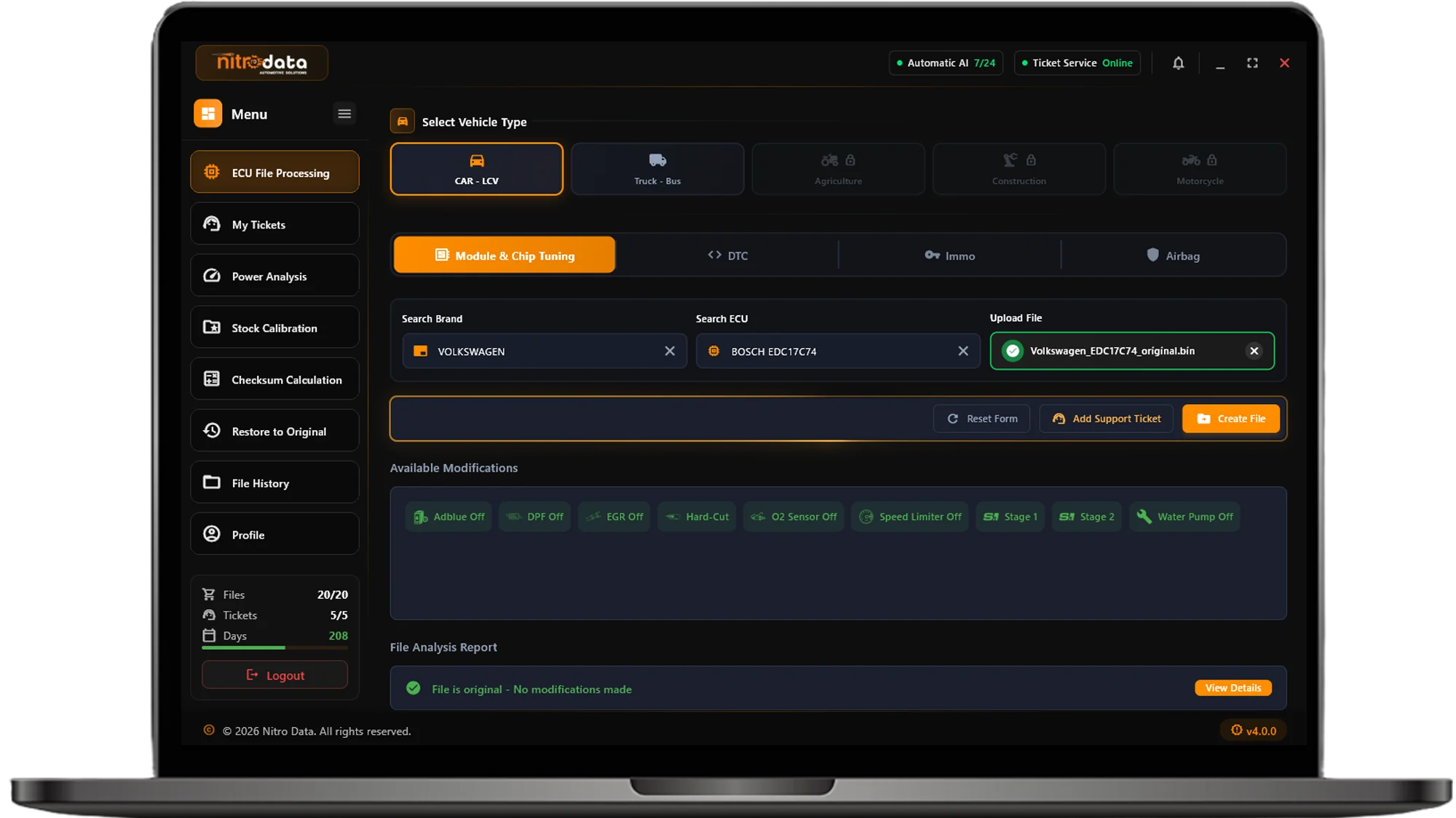
MODULE - CHIP TUNING
Select File
Automatic Recognition
View Modifications
Download
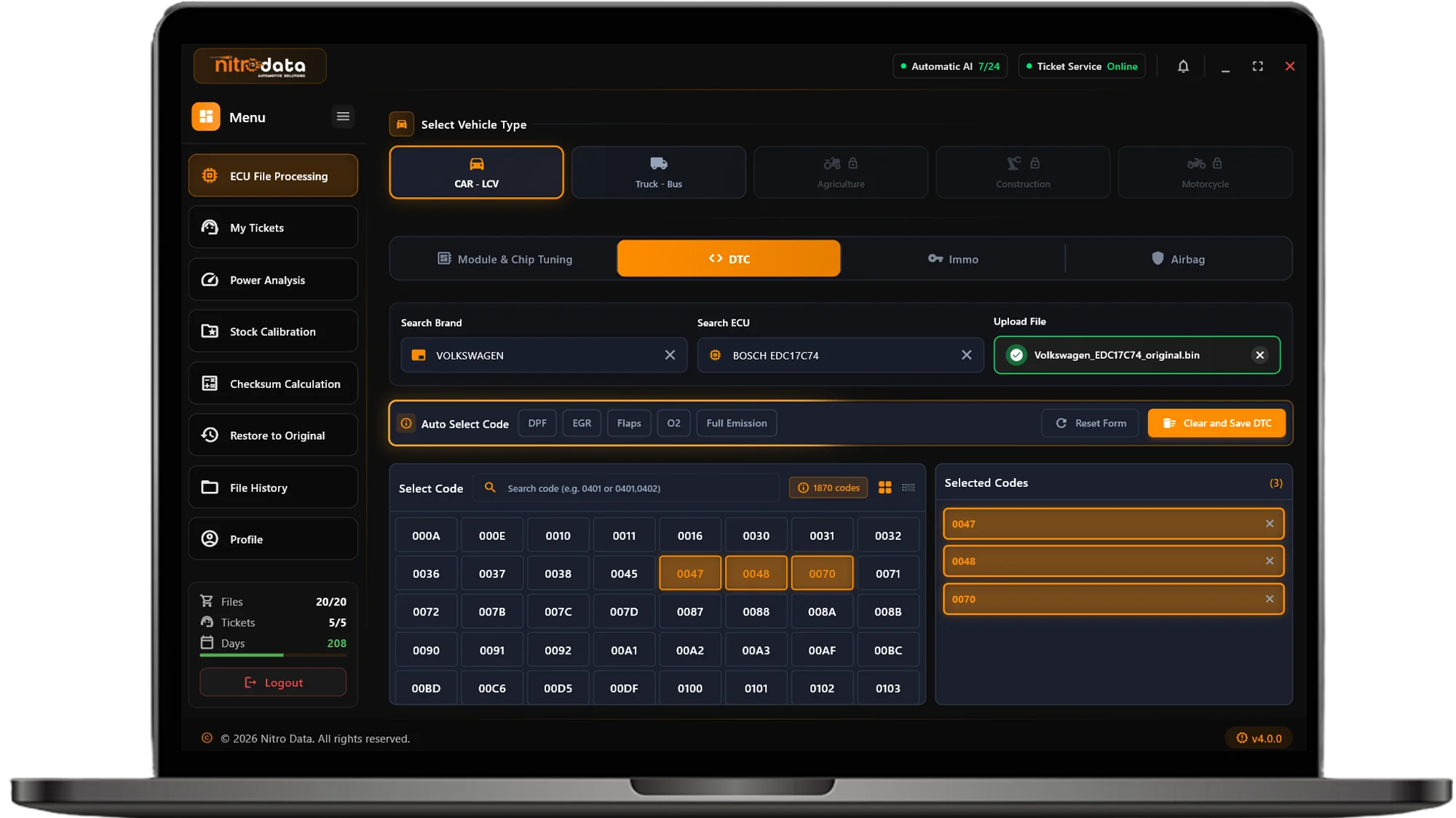
DTC - ERROR CODE MANAGEMENT
Vehicle & ECU Selection
Upload File
Select Codes
Remove DTC
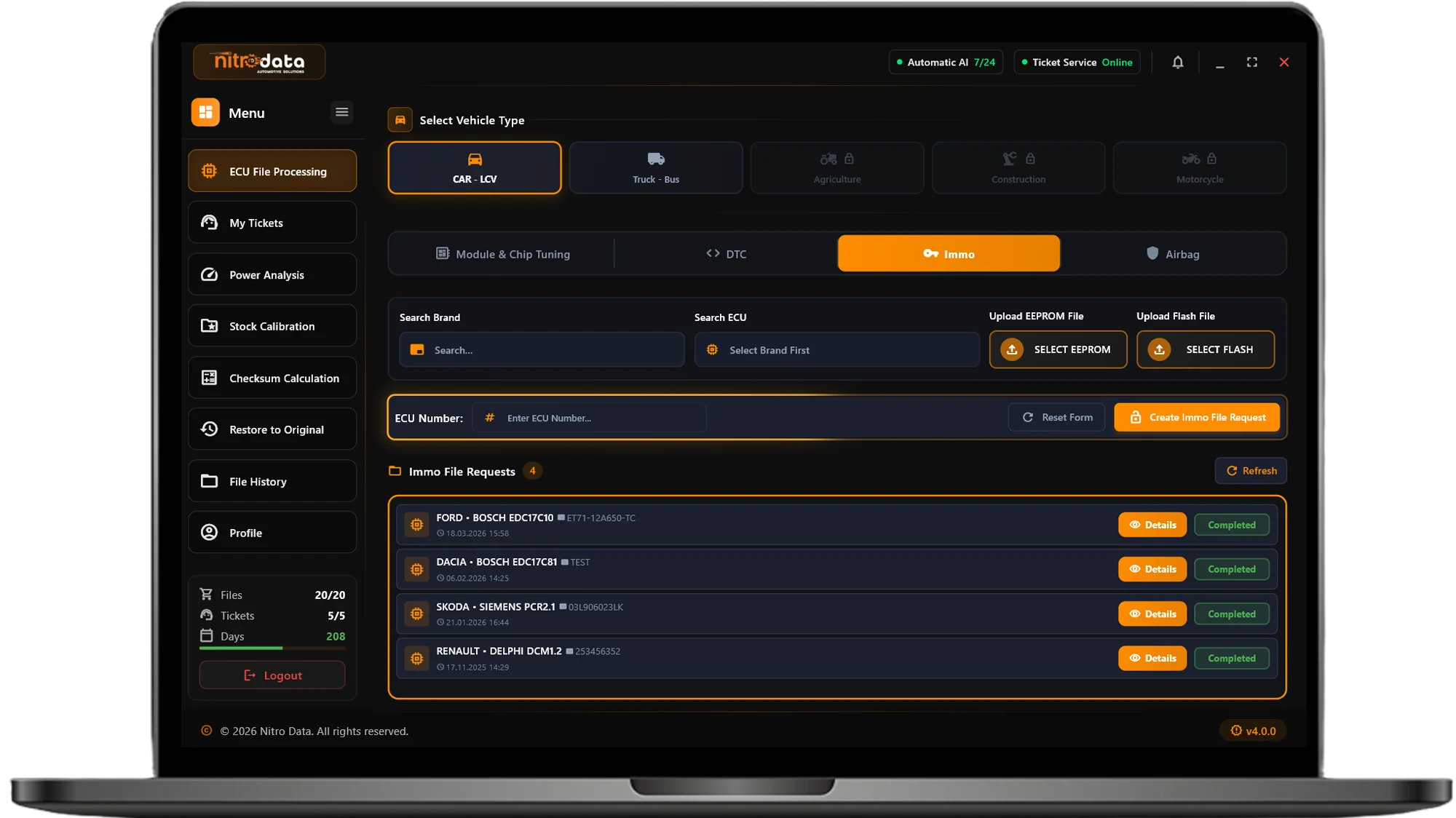
IMMO OFF - Immobilizer DISABLE
Vehicle Information
Upload EPROM
Upload FLASH
Automatic Process
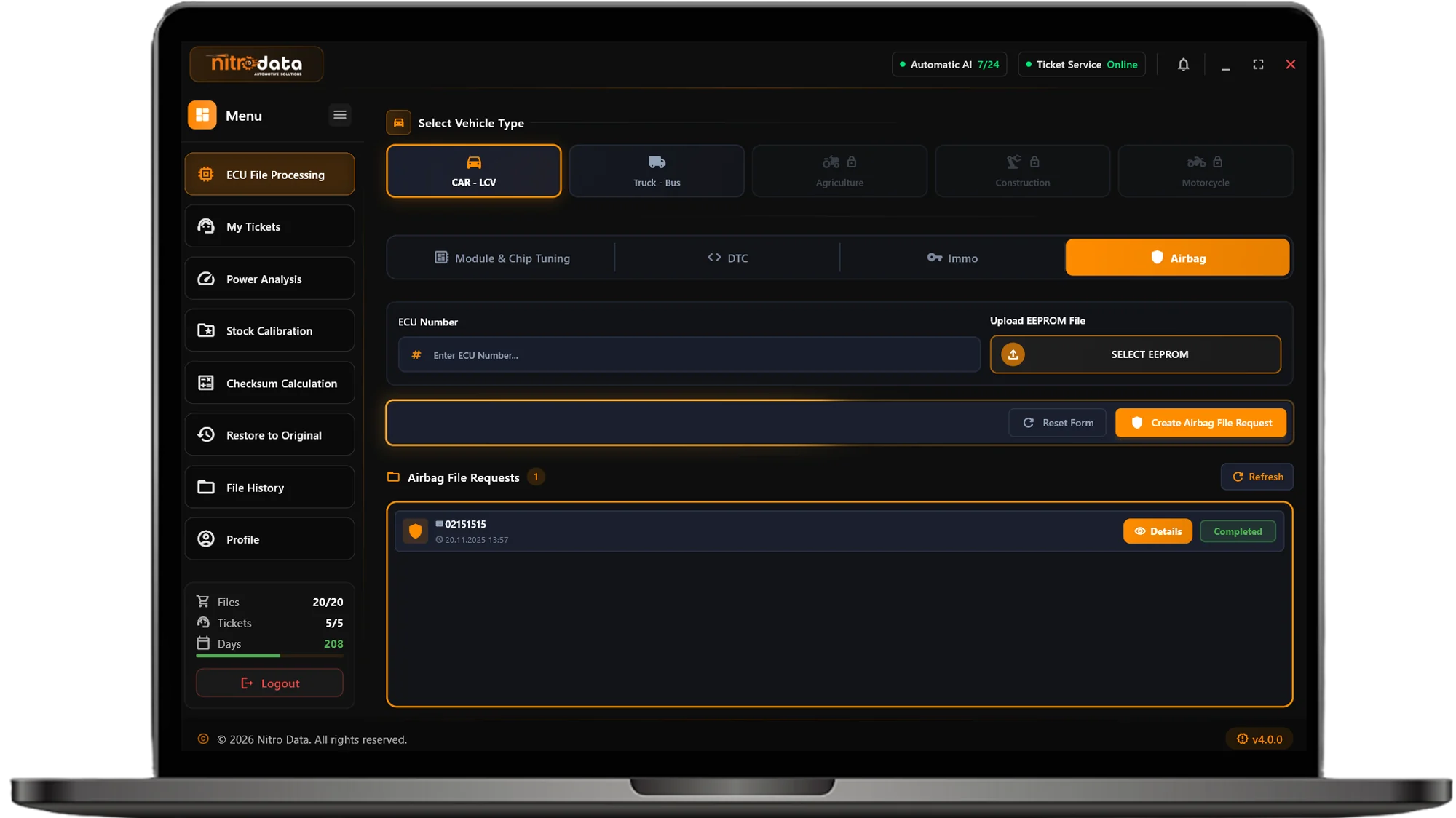
Airbag CRASH DATA RESET
Vehicle Information
Upload EPROM
Automatic Reset
Download File
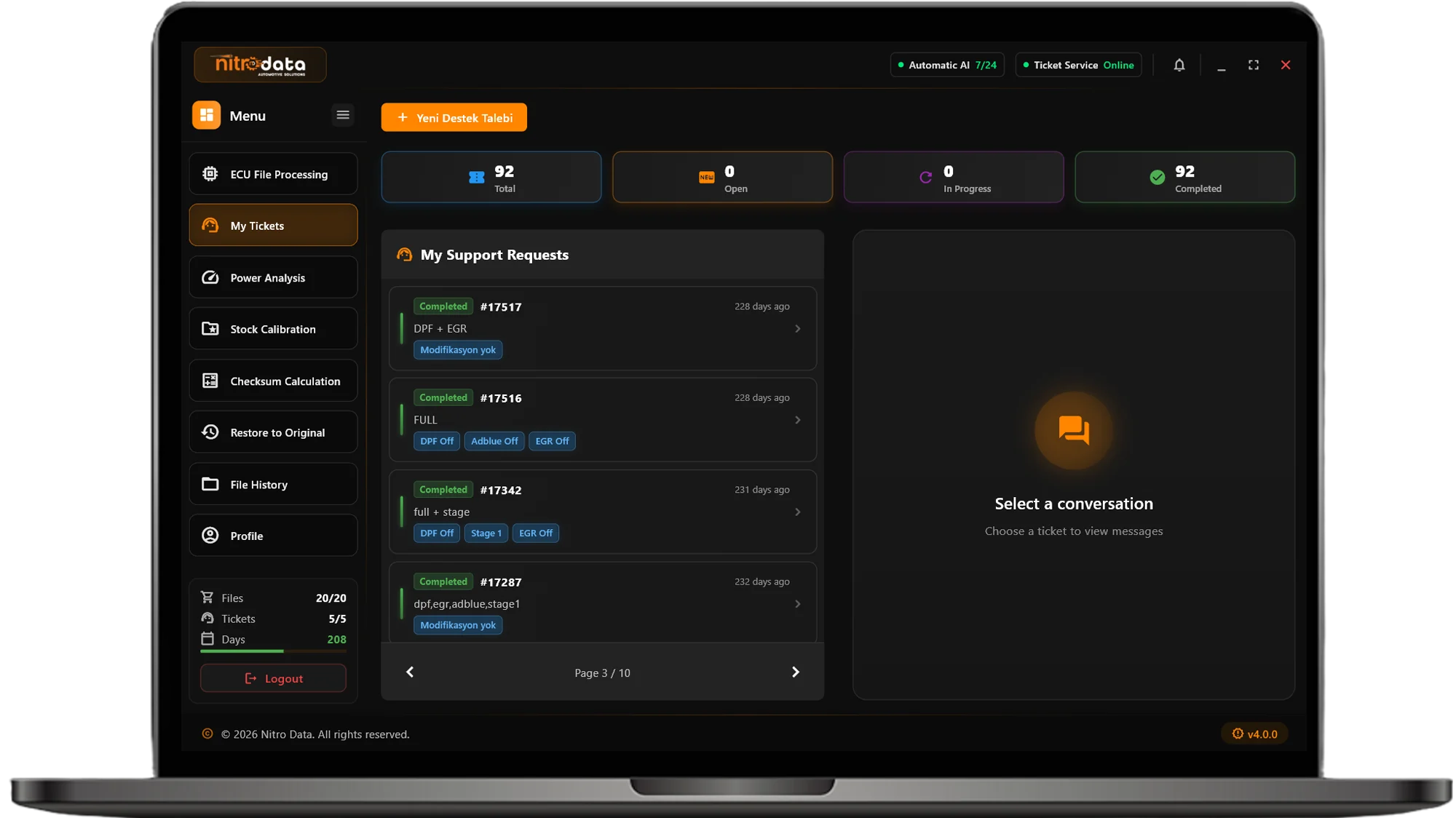
MY SUPPORT REQUESTS - TICKET SYSTEM
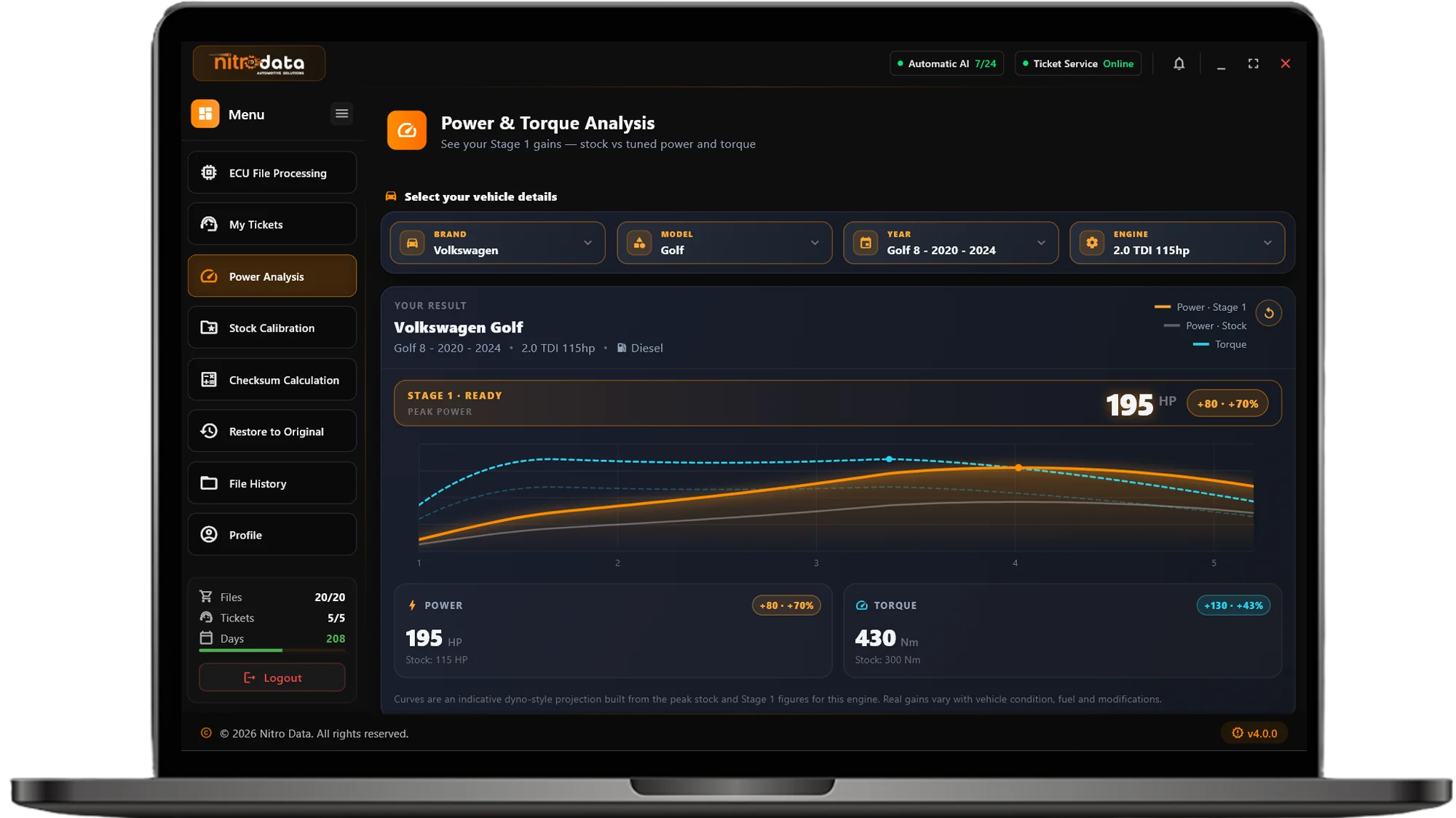
POWER & TORQUE ANALYSIS
Select Vehicle
See the Result
Compare
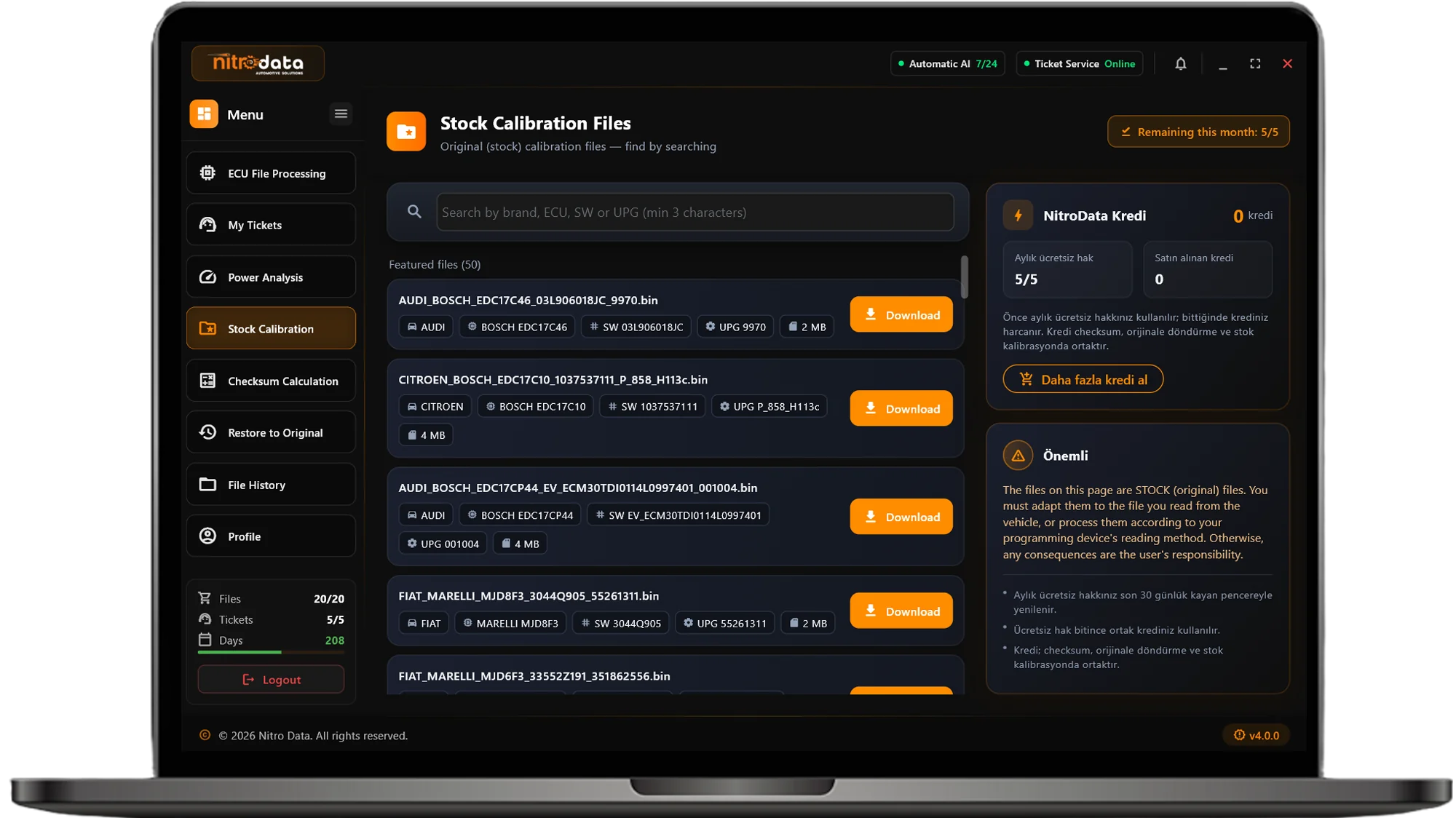
STOCK CALIBRATION FILES
Search
Find the File
Download
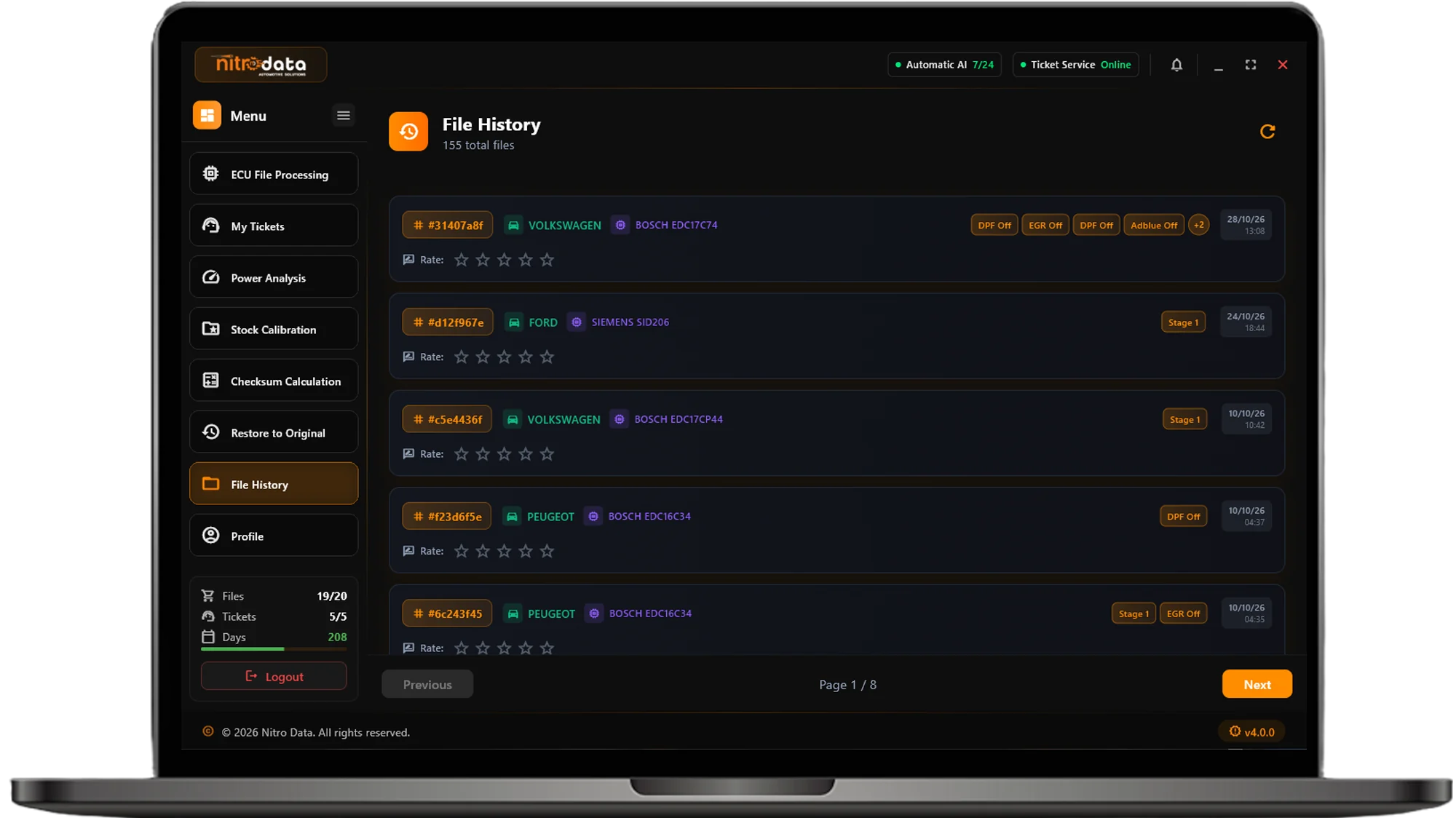
FILE HISTORY
Processing History
Easy Search
Quality Evaluation
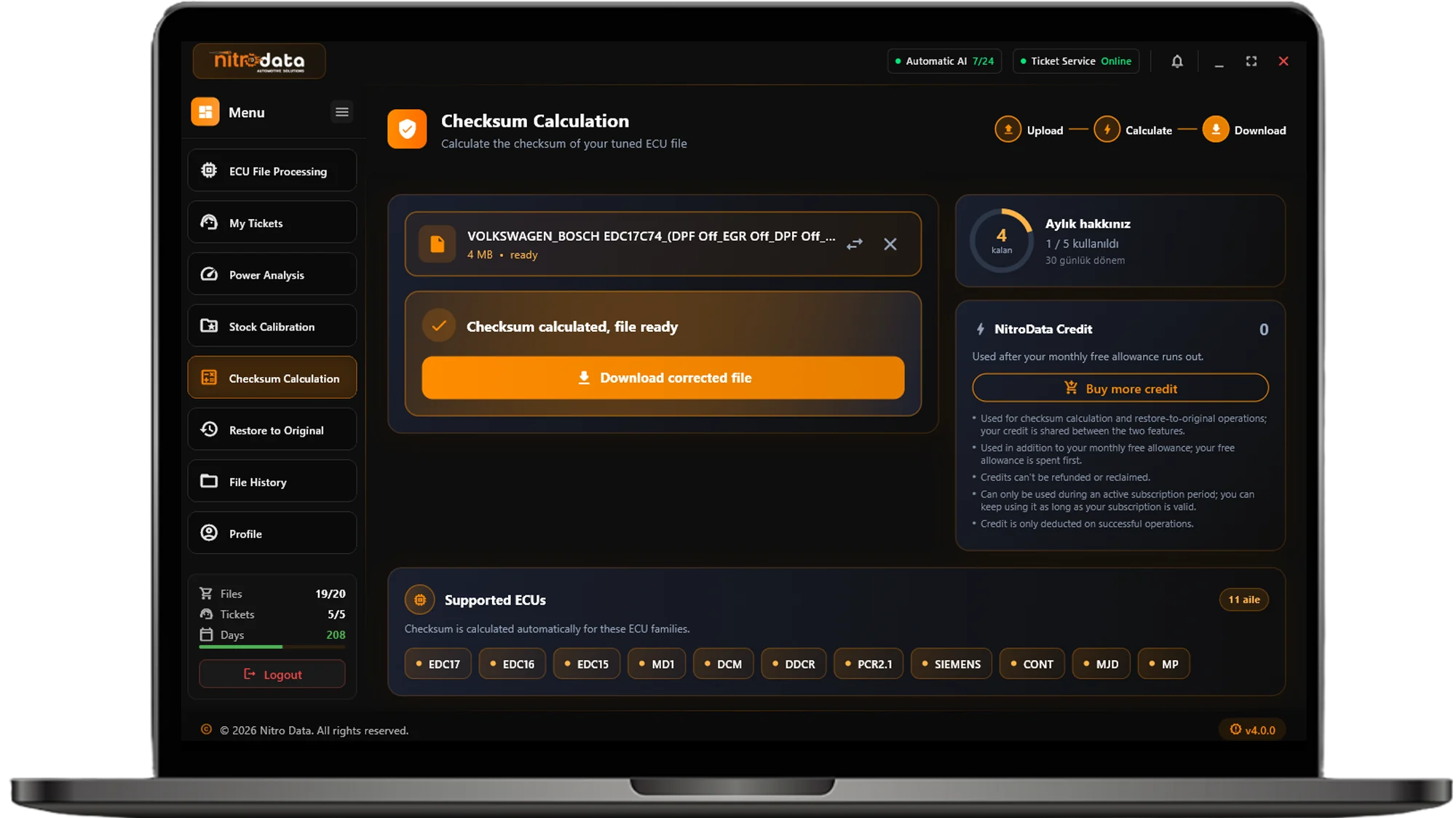
AUTOMATIC CHECKSUM CORRECTION
Upload File
Automatic Family Detection
Calculate Checksum
Download
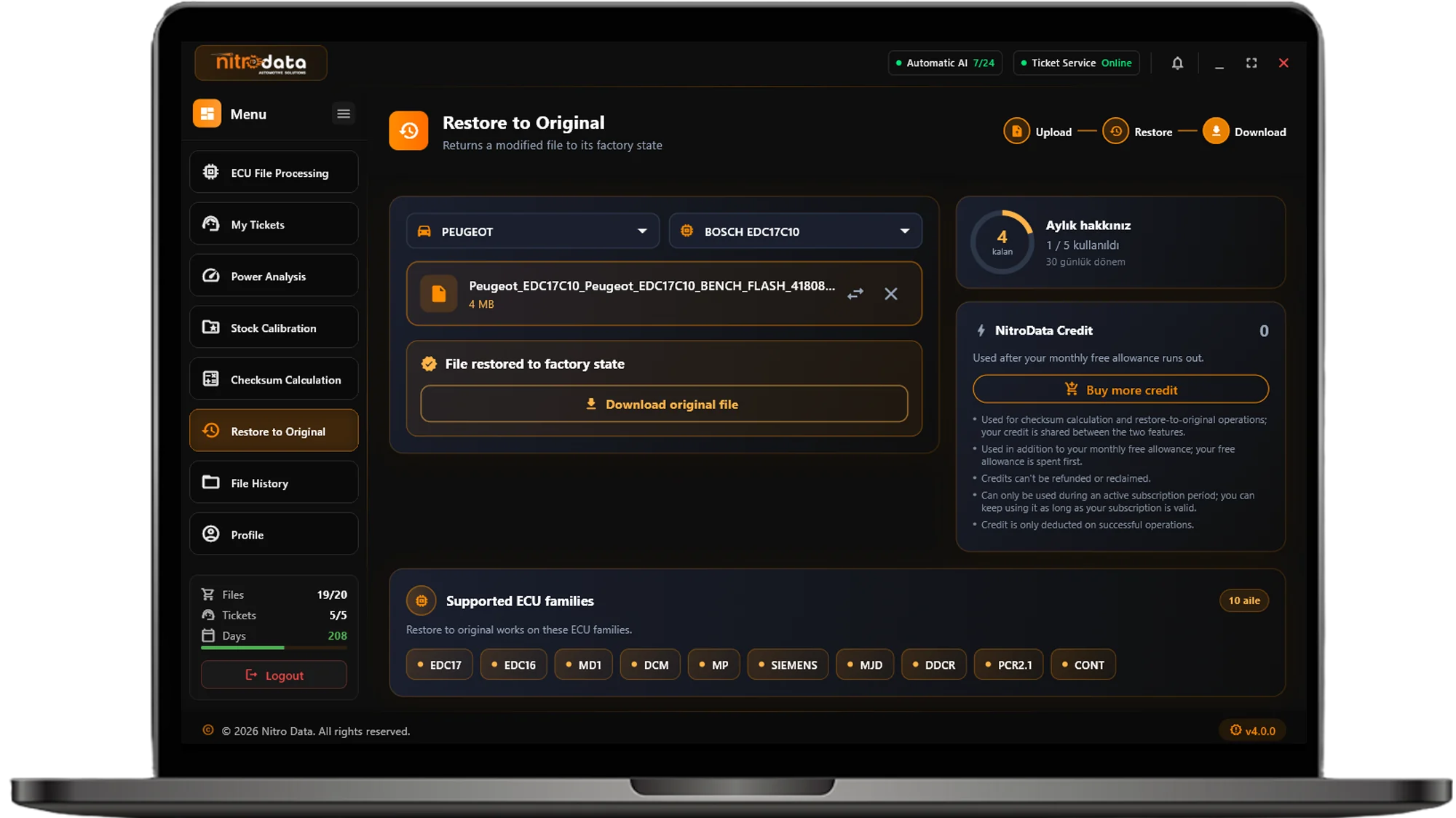
RESTORE TO ORIGINAL
Upload File
Select Brand & ECU
Generate Original
Download